How to Write SEO Title Tags and Meta Descriptions That Get More Clicks
Your title tag and meta description are the first things people see about your page in Google. Together they act like an advertisement: they tell searchers what the page is about and persuade them to click. Getting them right can increase your traffic even without improving your rankings.
What Is a Title Tag?
A title tag is an HTML element that specifies the title of a web page. It appears as the clickable blue headline in search results, in browser tabs and often when a page is shared on social media. In HTML it looks like this:
<title>How to Write SEO Title Tags That Get Clicks</title>In WordPress, SEO plugins such as Yoast SEO or Rank Math let you edit the title tag separately from the post title (H1) that appears on the page.
What Is a Meta Description?
A meta description is a short summary of the page. Google may show it under the title in search results. It is not a direct ranking factor, but a compelling description can improve your click-through rate (CTR), which means more visitors from the same ranking.
Note that Google often rewrites meta descriptions (and sometimes titles) using text from your page when it thinks that will better match a specific query. You cannot fully control this, but a well-written description is still used frequently.
How to Write a Great Title Tag
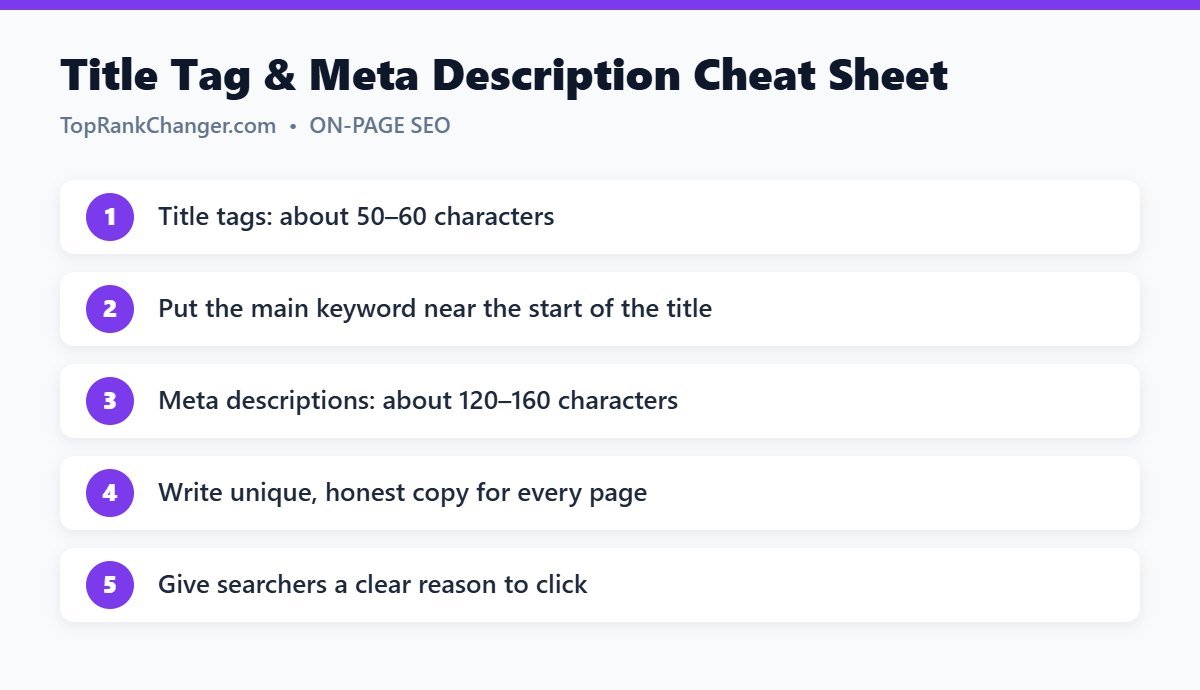
1. Keep it around 50–60 characters
Google truncates titles based on pixel width (roughly 600 pixels on desktop). Titles of about 50–60 characters usually display fully. Longer titles are not penalized, but the end may be cut off with an ellipsis.
2. Put the main keyword near the beginning
Users scan quickly. Placing your primary topic early confirms relevance right away. Compare “Everything You Should Know About Brewing: A French Press Guide” with “French Press Guide: How to Brew Perfect Coffee at Home”.
3. Make every title unique
Each page on your site should have its own distinct title that describes that page specifically. Duplicate titles confuse both users and search engines.
4. Match search intent
If people want a list, say so (“15 Best…”). If they want a tutorial, use “How to…”. Look at what already ranks for guidance.
5. Add a reason to click
Use specific, honest benefits: a number, the current year for time-sensitive topics, “step-by-step”, “for beginners”, “with examples” or “free template”. Avoid clickbait that the page does not deliver — disappointed visitors leave quickly.
6. Consider adding your brand
Many sites add their brand at the end, like “… | Top Rank Changer”. It builds recognition but uses space, so keep it short.
Title Tag Examples: Before and After
- Before: “Home Workout”
After: “20-Minute Home Workout for Beginners (No Equipment)” - Before: “Our Thoughts on Email Marketing Tools”
After: “7 Best Email Marketing Tools for Small Businesses” - Before: “Fixing Things in WordPress”
After: “How to Fix the WordPress White Screen of Death”
How to Write a Meta Description That Gets Clicks
- Aim for about 120–160 characters. Longer descriptions are usually truncated on desktop; mobile shows slightly less.
- Summarize the page accurately. Tell searchers exactly what they will get.
- Include the main keyword naturally. Google often bolds words that match the search, which draws the eye.
- Use active voice and a light call to action. “Learn”, “Discover”, “See”, “Get”.
- Write a unique description for each important page.
Example: “Learn how to write SEO title tags and meta descriptions that improve your click-through rate, with simple rules, examples and common mistakes to avoid.”
Common Mistakes to Avoid
- Keyword stuffing (“SEO Tips, SEO Guide, Best SEO, SEO 2026”)
- Leaving default titles like “Untitled” or just the site name
- Using the same meta description on every page
- Promising something the page does not deliver
- Writing in all capital letters
How to Measure and Improve CTR
In Google Search Console, open the Performance report, enable Average CTR and Average position, and look at pages with many impressions but a low click-through rate. These are your best candidates for a new title and description. Change one page at a time, wait a few weeks, and compare results.
Frequently Asked Questions
Is the title tag the same as the H1?
Not necessarily. The title tag appears in search results and browser tabs, while the H1 is the main heading on the page. They are often similar, but you can make the title tag more concise or click-focused.
Do meta descriptions affect rankings?
Google has stated they are not a direct ranking factor, but they can influence how many people click on your result.
Final Thoughts
Title tags and meta descriptions take only minutes to write, yet they influence every visitor who finds you through search. Make them clear, specific, unique and honest, and review your lowest-CTR pages regularly. For the rest of your page, follow our complete on-page SEO checklist.