Nofollow Links vs. Sponsored and UGC: Which Link Attribute to Use
Not every link on your site should pass the same trust. Link attributes such as nofollow, sponsored and ugc tell search engines about your relationship with the page you are linking to. Using them correctly keeps you in line with Google’s guidelines.
What Are Nofollow Links?
Nofollow links include rel="nofollow" in the HTML. This tells search engines you don’t want to endorse the linked page or pass ranking credit to it.
<a href="https://example.com" rel="nofollow">Example</a>In 2019, Google introduced two more specific attributes and began treating all three as hints rather than strict rules.
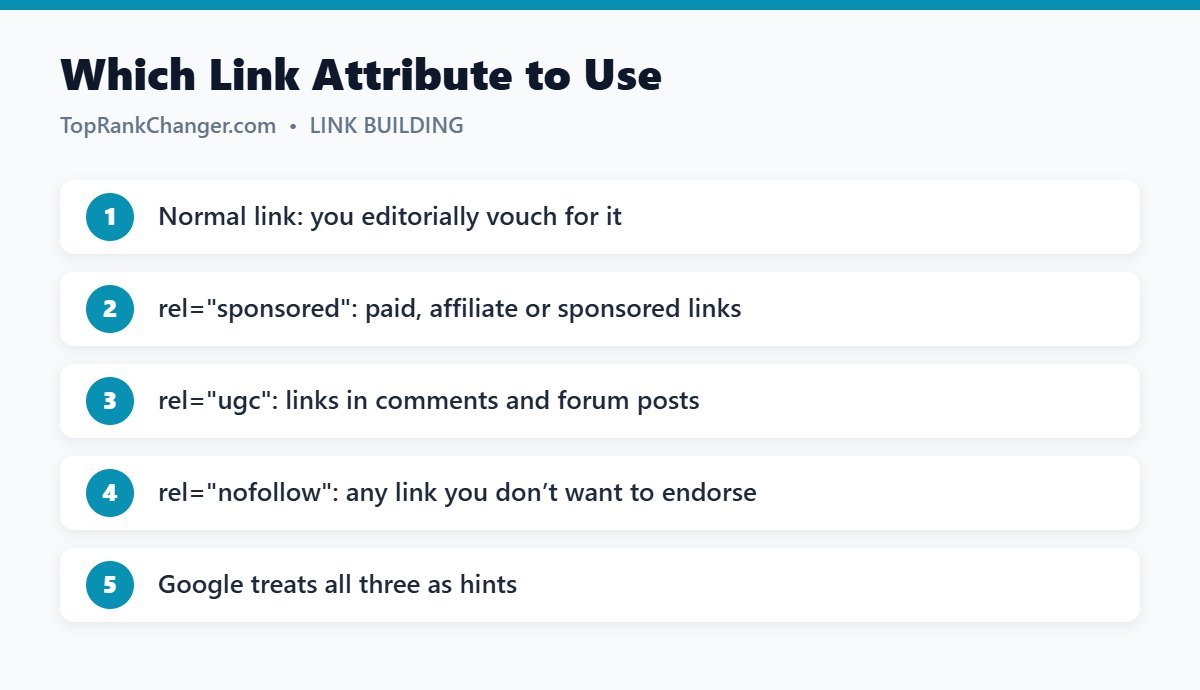
The Three Link Attributes
rel=”sponsored”
Use for any link that is paid for or part of a commercial arrangement: sponsored posts, advertisements and affiliate links. Google requires paid links to be qualified this way; failing to do so can be treated as a link scheme.
rel=”ugc”
Stands for user-generated content. Use it for links inside blog comments, forum posts and other content your visitors create. WordPress adds nofollow ugc to comment links automatically.
rel=”nofollow”
The general-purpose option for links you don’t want to vouch for when the other two don’t fit. You can combine attributes, for example rel="nofollow sponsored".
When to Use a Normal (Followed) Link
Most of your links should be normal links. If you link to a helpful source because it genuinely helps your readers, there is no need for any attribute. Linking to good sources is natural and helpful; you don’t “lose” anything by doing it.
Do Nofollow Links Help SEO?
Nofollow backlinks to your site pass little or no direct ranking credit, but they are not worthless. They can bring referral traffic, build brand awareness and lead to followed links later when people discover your content. A natural backlink profile includes a mix of both.
How to Add Link Attributes in WordPress
- In the block editor, you can edit a link’s HTML to add the attribute.
- SEO plugins such as Yoast SEO and Rank Math add options to mark links as nofollow or sponsored.
- Many affiliate link plugins add
rel="sponsored"automatically.
Quick Guide
- Affiliate link →
sponsored - Paid guest post or advertorial link →
sponsored - Comment or forum link →
ugc - Link you don’t trust but need to reference →
nofollow - Helpful source you recommend → normal link
Final Thoughts
Link attributes are simple once you understand the purpose: be honest about commercial links and user-created links, and link normally everywhere else. Learn more about earning links in what are backlinks.