Keyword Cannibalization: How to Find and Fix Competing Pages
Publishing more content is usually good — unless several of your pages end up fighting for the same search. This problem is called keyword cannibalization, and it can quietly hold back your rankings.
What Is Keyword Cannibalization?
Keyword cannibalization happens when two or more pages on your site target the same keyword and search intent, so Google struggles to decide which one to rank. Often, neither page ranks as well as a single, stronger page would.
Example: a blog has “How to Clean a French Press” and “French Press Cleaning Tips”. Both answer the same question. Google may alternate between them, and each gathers only part of the links and engagement.
Is It Always a Problem?
No. Two pages can rank for similar words if they serve different intents — for example, “best french press” (a buying guide) and “how to use a french press” (a tutorial). It is only a problem when the pages overlap in purpose.
How to Find Keyword Cannibalization
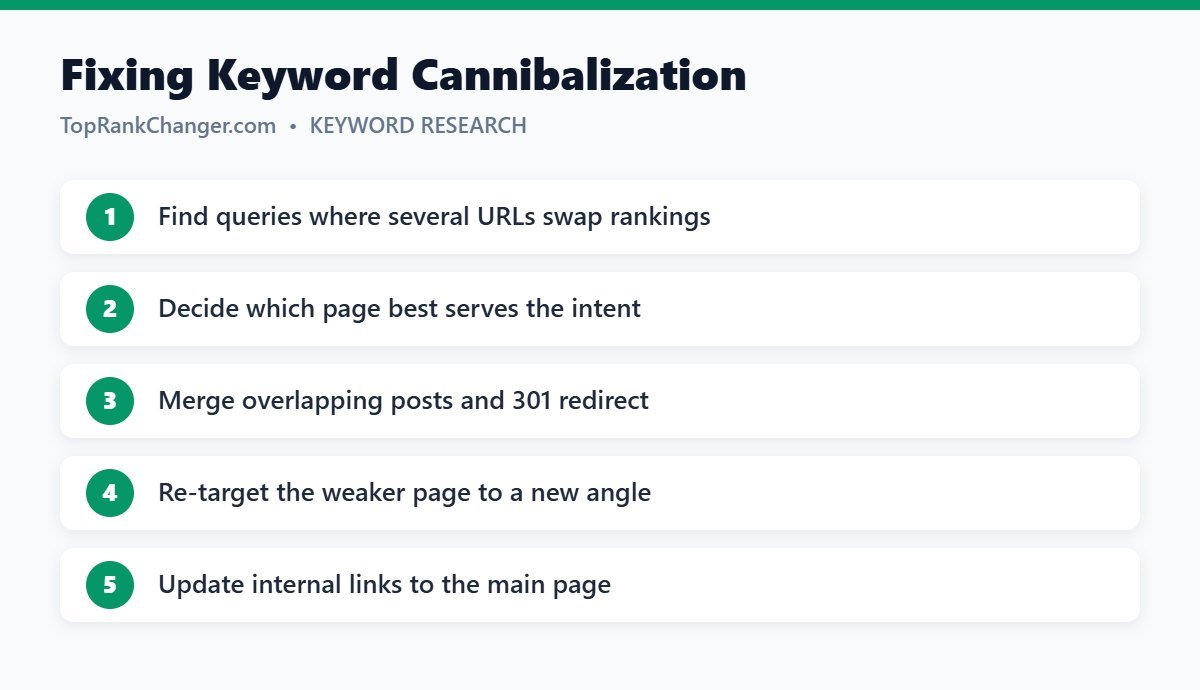
- Search Console: in the Performance report, click a query, then open the Pages tab. If several URLs get impressions for the same query and their positions keep swapping, investigate.
- site: search: search
site:yourdomain.com topicto see all your pages about a subject. - Content inventory: list your posts with their main keyword in a spreadsheet and look for duplicates.
How to Fix It
Option 1: Merge and redirect
Combine the best parts of both articles into one comprehensive page, then set up a 301 redirect from the weaker URL to the stronger one. This is usually the most effective fix.
Option 2: Differentiate
If both pages have value, change the focus of one so it targets a different keyword or intent. Update its title, headings and content accordingly.
Option 3: Canonicalize
If both pages must remain accessible, add a canonical tag on the weaker page pointing to the main page.
Option 4: Noindex
For low-value pages that must stay live for users, a noindex tag removes them from search results.
Always update internal links
Make sure your internal links point to the page you want to rank, using descriptive anchor text. See our internal linking guide.
How to Prevent It
- Keep a keyword map: one main keyword per page.
- Search your own site before writing a new post.
- Update existing articles instead of writing new near-duplicates.
- Group related keywords into one strong article during keyword research.
Final Thoughts
One excellent page beats two average pages competing with each other. Review your content every few months, merge overlaps and keep a clear plan for which page targets which search.