Featured Snippets: How to Win Position Zero on Google
Featured snippets are the highlighted answer boxes that sometimes appear at the top of Google’s results. Winning one can put your page above every other organic result. Here is how featured snippets work and how to improve your chances of earning them.
What Are Featured Snippets?
Featured snippets are short excerpts from a web page that Google displays prominently to answer a searcher’s question directly. They include the page title and link, so searchers can click through for more. Because they appear above the regular results, they are sometimes called “position zero”.
Types of Featured Snippets
- Paragraph snippets: a short text answer, common for “what is” and “why” questions.
- List snippets: numbered or bulleted lists, common for steps, rankings and “how to” queries.
- Table snippets: data pulled from HTML tables, common for comparisons, prices and specifications.
- Video snippets: a clip from a video, often YouTube, for visual how-to queries.
How Google Chooses Featured Snippets
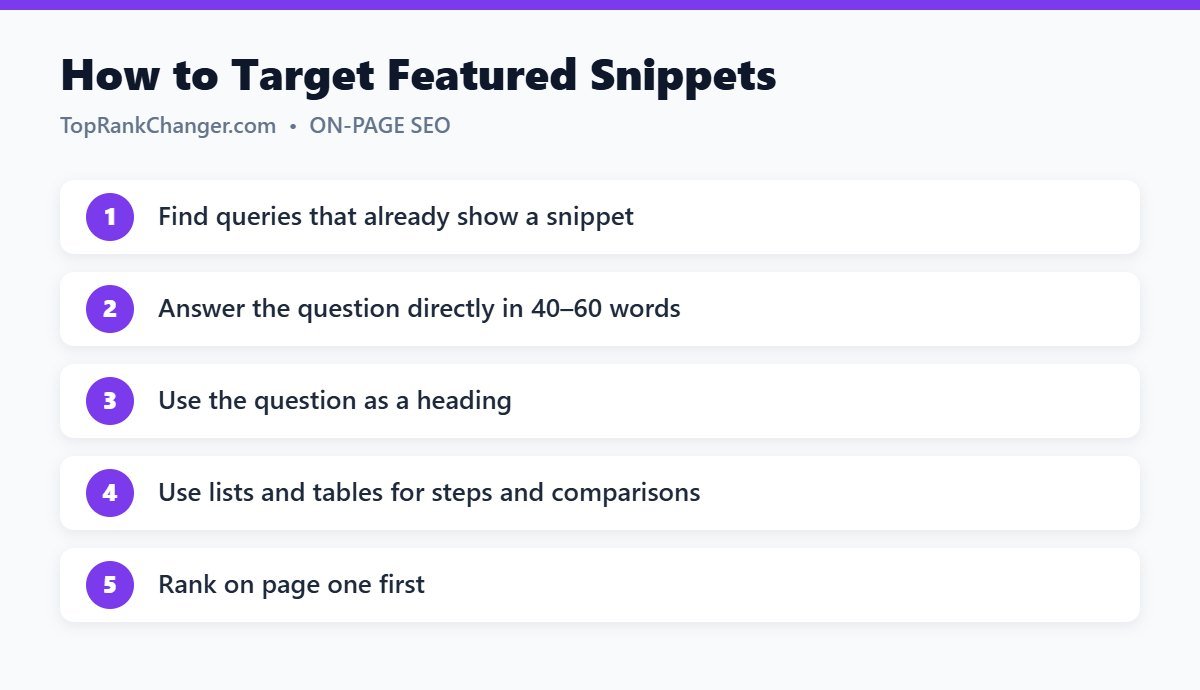
Google selects featured snippets automatically from pages that already rank well for the query, usually on the first page. There is no special markup to request one. Your job is to rank on page one and format your content so the best answer is easy for Google to extract.
How to Optimize for Featured Snippets
1. Find snippet opportunities
Search your target keywords and note which ones already show a featured snippet. Also check Search Console for queries where you rank in positions 1–10; those are your best targets.
2. Use the question as a heading
Add an H2 or H3 that matches the question, for example “What Is a Canonical Tag?”, then answer immediately below it.
3. Give a direct, concise answer
Write a clear 40–60 word answer in the first paragraph under the heading. Start with the answer itself (“A canonical tag is…”) rather than background information. Then expand with details below.
4. Use lists for steps
For processes, use a numbered list with each step starting with an action word. For groups of items, use bullet points. Keep list items short.
5. Use real HTML tables for comparisons
If you compare options, prices or specs, use a proper table rather than an image of a table.
6. Match the existing snippet format
If the current snippet is a list, a list is likely your best shot. If it is a paragraph, write a better paragraph.
7. Improve the whole page
A good snippet answer on a weak page rarely wins. Overall quality, relevance and rankings still come first. Follow our on-page SEO checklist.
Do Featured Snippets Increase Clicks?
It depends. For complex questions, a snippet can bring many more clicks because searchers want the full explanation. For very simple questions, some searchers get their answer without clicking. Snippets also build brand visibility either way.
Featured Snippets and AI Overviews
Google also shows AI-generated overviews for some searches, which cite and link to sources. The same habits — clear headings, direct answers, accurate information and well-structured pages — help your content get understood and referenced in these features too.
Final Thoughts
You can’t force Google to show a featured snippet, but you can make your content the easiest, clearest answer on page one. Target questions, answer directly, format smartly, and keep improving pages that already rank.