XML Sitemaps Explained: What They Are and How to Create One
An XML sitemap is like a map of your website made specifically for search engines. It helps Google find your important pages quickly — especially useful for new websites with few links. Here is everything you need to know.
What Is an XML Sitemap?
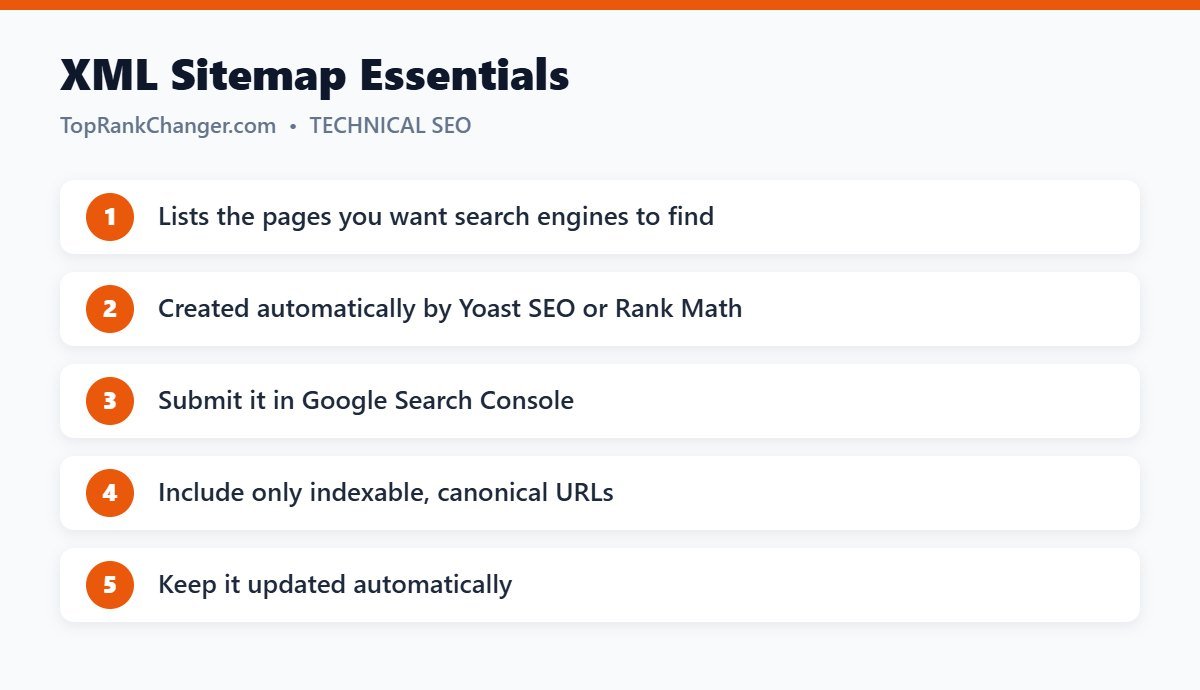
An XML sitemap is a file that lists the URLs on your website that you want search engines to crawl and index. It can also include information like when each page was last updated. It usually lives at an address such as yourdomain.com/sitemap.xml or yourdomain.com/sitemap_index.xml.
Do not confuse it with an HTML sitemap, which is a regular page listing links for human visitors.
Do You Need a Sitemap?
Google can discover pages by following links, so a sitemap is not strictly required. But it is strongly recommended if:
- Your site is new and has few external links
- Your site has many pages
- Some pages are not well linked internally
- You publish new content often
For nearly every blog, a sitemap is free, automatic and helpful.
How to Create a Sitemap in WordPress
WordPress has included a basic sitemap at /wp-sitemap.xml since version 5.5. SEO plugins replace it with a better version:
- Yoast SEO: enabled by default at
/sitemap_index.xml. - Rank Math: enable the Sitemap module; it also uses
/sitemap_index.xml.
These plugins split the sitemap into smaller sitemaps for posts, pages and categories, and update it automatically when you publish.
What Should Be in Your Sitemap?
Include only pages you want to appear in search results:
- ✔ Published posts and important pages
- ✔ Category pages if they are useful to visitors
- ✘ Pages set to noindex
- ✘ Redirected or deleted URLs
- ✘ Duplicate pages or thin archives such as tag pages with one post
A sitemap full of broken or low-value URLs sends mixed signals, so keep it clean.
How to Submit Your Sitemap to Google
- Open Google Search Console and select your property.
- Go to Indexing → Sitemaps.
- Enter your sitemap URL (for example,
sitemap_index.xml) and click Submit.
You only need to submit once. Google will revisit it regularly. It is also a good idea to add it to Bing Webmaster Tools and to reference it in your robots.txt file with a line like Sitemap: https://yourdomain.com/sitemap_index.xml.
Common Sitemap Statuses
- Success: Google read the sitemap without problems.
- Couldn’t fetch: often temporary right after submitting. If it persists, check that the URL loads in a browser and is not blocked by robots.txt or a security plugin.
- Has errors: open the report to see which URLs caused issues.
Does a Sitemap Guarantee Indexing?
No. A sitemap helps Google discover pages, but Google still decides whether each page is worth indexing. Quality content and good internal linking matter more. See how to get your website indexed by Google.
Final Thoughts
Setting up an XML sitemap takes minutes with an SEO plugin. Submit it once, keep it clean, and it will quietly help search engines find your new content for years.