How Google Search Works: Crawling, Indexing and Ranking Explained
Every time you type a question into Google, it searches through hundreds of billions of web pages and returns an answer in less than a second. Understanding how that happens is one of the most useful things you can learn as a website owner, because every SEO decision you make connects back to these steps.
In this guide, we break down how Google Search works — crawling, indexing, ranking and serving results — and what each stage means for your website.
The Three Stages of Google Search
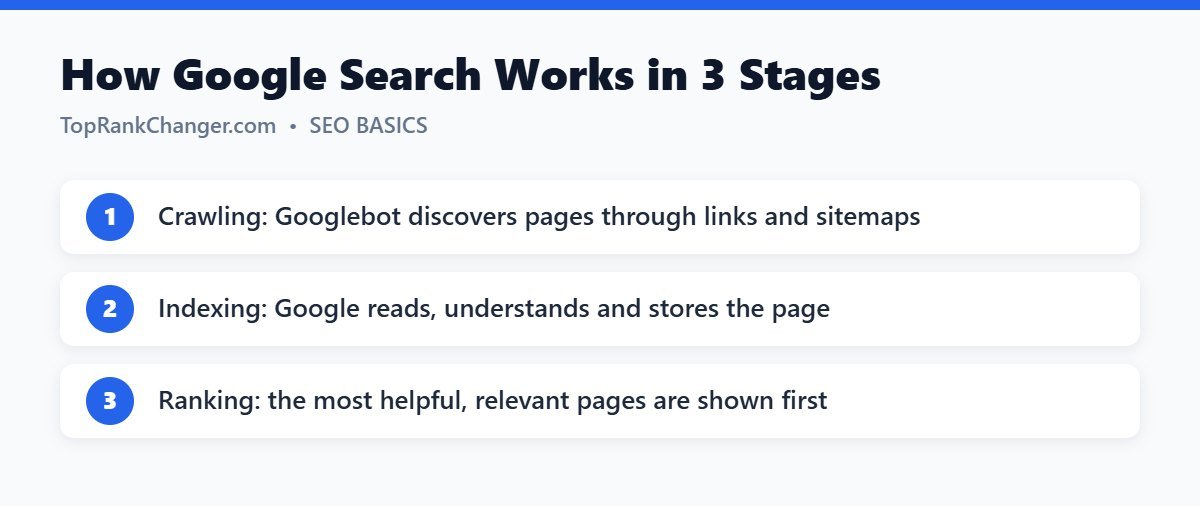
Google describes its search process in three stages. Not every page makes it through all three.
Stage 1: Crawling
Crawling is how Google discovers pages. Google uses automated software called Googlebot that constantly visits web pages, reads them and follows the links it finds to discover new pages.
Googlebot finds your pages in a few main ways:
- Links from other pages – both links from other websites and internal links within your own site.
- XML sitemaps – a file that lists the important URLs on your site. You can submit it in Google Search Console.
- Manual requests – using the URL Inspection tool in Search Console to request indexing of a specific page.
What can stop crawling?
- A robots.txt rule that blocks Googlebot from certain folders or pages.
- Server errors or very slow responses, which cause Google to crawl less.
- Orphan pages that have no internal links pointing to them.
- Pages that require a login to view.
Tip: Link every new article from at least one or two related, existing posts. This helps Googlebot find it quickly and shows how your content is connected.
Stage 2: Indexing
After a page is crawled, Google tries to understand it. This is indexing. Google analyzes the text, title, headings, images, videos and structured data, and decides whether the page should be stored in its index — a massive database of web content.
During indexing, Google also looks for duplicate content. If several pages are very similar, it chooses one as the canonical version to show in results and treats the others as duplicates.
Why a page might not be indexed
- The page has a noindex tag.
- The content is thin, low quality or nearly identical to other pages.
- Google has not gotten around to it yet (common on brand-new sites).
- The page is not linked internally or is hard to reach.
You can check whether a page is indexed with the URL Inspection tool in Google Search Console, or by searching site:yourdomain.com/page-url. We cover fixes in detail in how to get your website indexed by Google.
Stage 3: Ranking and Serving Results
When someone searches, Google looks through its index for pages that match and orders them by what it believes will be most helpful. Google uses many signals, but they generally fall into these groups:
- Meaning of the query – Google works out what the searcher actually wants, including synonyms and spelling corrections.
- Relevance – does the page contain information that matches the query?
- Quality – does the content show experience, expertise, authoritativeness and trustworthiness? Do other reputable sites link to it?
- Usability – is the page mobile-friendly, secure and reasonably fast?
- Context – the searcher’s location, language and settings can change results. A search for “pizza near me” shows different results in Lahore than in London.
Search Features Beyond the Blue Links
Modern results pages include much more than ten links. Depending on the query you might see AI-generated overviews, featured snippets, “People also ask” boxes, image and video results, local map packs and shopping results. Clear, well-structured content with direct answers near the top of each section gives you the best chance of appearing in these features.
Algorithm Updates
Google changes its ranking systems thousands of times a year. Most changes are small, but a few times a year it announces core updates that can shift rankings noticeably. If your rankings drop after an update, it does not necessarily mean something is broken. Google’s advice is to focus on improving the overall helpfulness and quality of your content rather than chasing quick fixes.
What This Means for Your Website
- Make pages easy to find. Use internal links and submit an XML sitemap.
- Don’t block what you want ranked. Check robots.txt and noindex settings, especially after launching a site.
- Publish unique, useful content. Thin or duplicate pages often go unindexed.
- Match search intent. Give people the type of content they expect for their query.
- Keep the site fast and mobile-friendly. Most searches happen on phones.
- Monitor Search Console. It is Google telling you directly how it sees your site.
Frequently Asked Questions
How long does it take Google to crawl a new website?
It can take anywhere from a few days to a few weeks. Submitting a sitemap and getting a few links from other sites can speed it up.
Does Google index every page?
No. Google chooses which pages to index and may skip pages it considers low value or duplicate.
Can I pay Google to rank higher organically?
No. Organic rankings cannot be bought. Paid ads are separate and are clearly labeled as sponsored.
Conclusion
Google Search follows a clear path: discover the page, understand it, then decide where it deserves to rank. When you make each step easy — crawlable pages, clear and unique content, and a genuinely helpful answer — you give your site the best possible chance of reaching the top. New to the topic? Start with our beginner’s guide to SEO.