Google Analytics 4 for Bloggers: The Reports That Actually Matter
Google Analytics 4 (GA4) can feel overwhelming at first. The good news: bloggers only need a handful of reports to make smart decisions. This guide shows you how to set up Google Analytics 4 and which numbers to watch.
What Is Google Analytics 4?
Google Analytics 4 is Google’s free analytics platform. It records what visitors do on your site — which pages they view, where they came from and how engaged they are — using an event-based model.
How to Set Up GA4
- Create an account and property at analytics.google.com.
- Add a Web data stream for your domain.
- Copy the measurement ID (starts with
G-). - Add the tag to WordPress with a lightweight plugin or Google Site Kit.
- Visit your site and check the Realtime report to confirm it works.
Enhanced measurement, enabled by default, automatically tracks scrolls, outbound clicks, site search and more.
The Reports Bloggers Need
Traffic acquisition
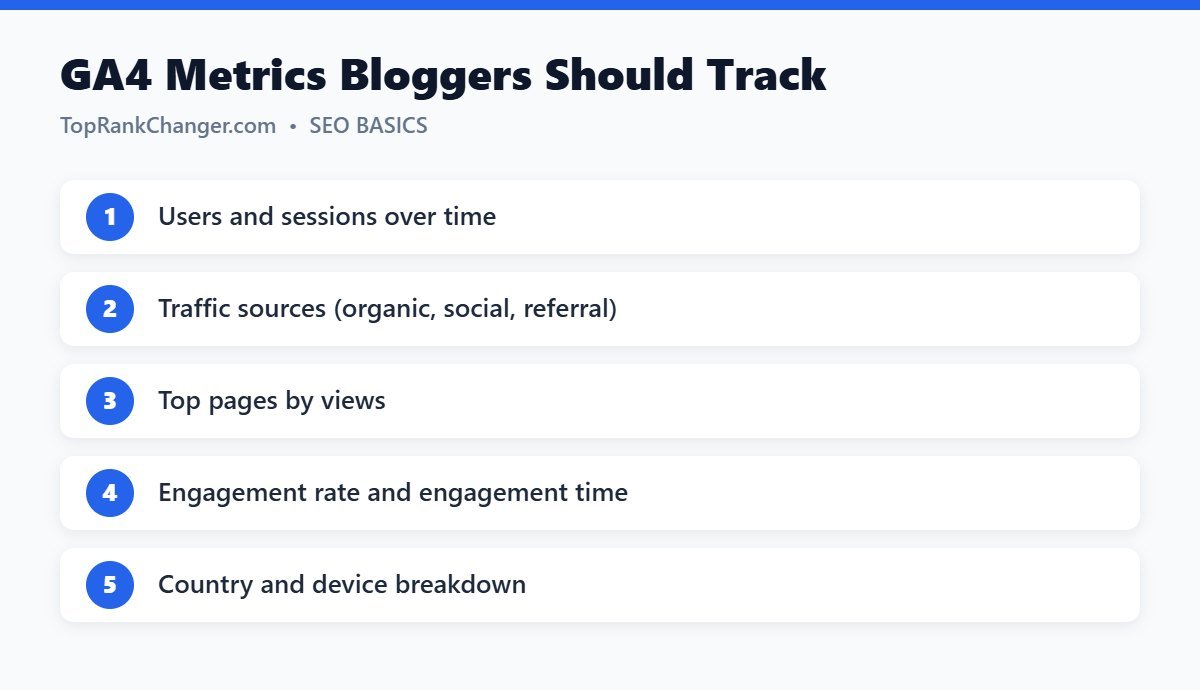
Reports → Acquisition → Traffic acquisition shows sessions by channel: Organic Search, Direct, Organic Social, Referral and more. Watch Organic Search grow as your SEO work pays off.
Pages and screens
Reports → Engagement → Pages and screens lists your most viewed pages. These are the posts to update first, link from and build related content around.
Engagement
GA4 counts an engaged session when a visit lasts over 10 seconds, has a key event or includes two or more page views. Engagement rate and average engagement time tell you whether readers actually read your content.
Demographics and tech
See which countries and devices your readers use. If most visitors are on mobile, make sure your site looks and loads great on phones.
GA4 vs. Search Console
Analytics tells you what visitors do on your site. Google Search Console tells you how people find your site in Google, including search queries. Use both together.
Tips
- Exclude your own visits by not tracking logged-in admins.
- Compare month over month rather than day to day.
- Annotate major changes, like a redesign, in a simple log so you can explain traffic shifts.
Final Thoughts
You don’t need to master every GA4 feature. Check traffic sources, top pages and engagement once a week, and let the data guide which content you create and improve next.