How to Find and Fix 404 Errors on Your Website
Every website eventually has pages that return “404 Not Found”. Some 404 errors are harmless; others waste traffic and backlinks. This guide explains how to find 404 errors and fix the ones that matter.
What Are 404 Errors?
A 404 error is the response a server sends when a requested page doesn’t exist. It happens when a page is deleted, a URL changes without a redirect or someone types or links to a wrong address.
Do 404 Errors Hurt SEO?
Google has said that 404 errors are a normal part of the web and don’t hurt your site’s overall rankings. However, they can cause real losses:
- Visitors who land on a dead page often leave.
- Backlinks pointing to a 404 page stop passing value to your site.
- Internal links to 404 pages waste crawling and frustrate users.
How to Find 404 Errors
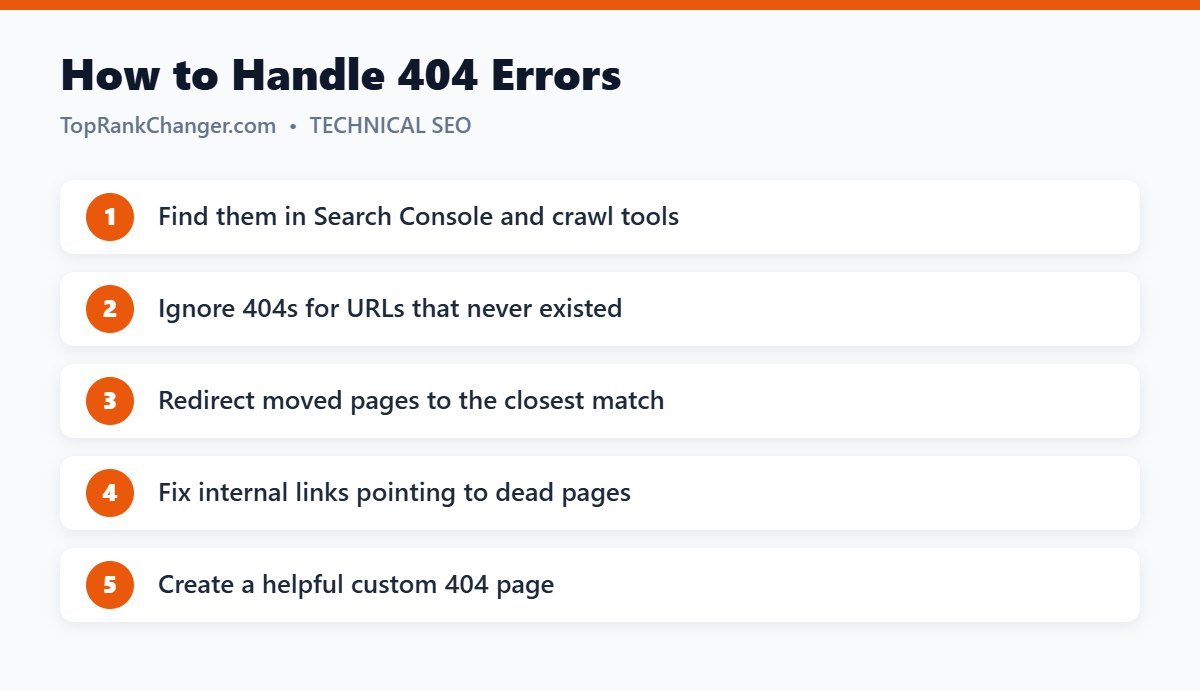
- Google Search Console: the Pages report lists URLs marked “Not found (404)”.
- Site crawlers: tools like Screaming Frog find broken internal links.
- Redirect plugins: many WordPress redirect plugins log 404 hits so you can see which missing URLs people actually request.
- Backlink tools: show external links pointing to dead pages on your site.
How to Fix 404 Errors
1. Decide if it needs fixing
404s for URLs that never existed, spam URLs or pages you deliberately removed with no replacement are fine to leave. Returning a 404 (or 410) for truly gone content is the correct behavior.
2. Redirect moved content
If the content moved or a close replacement exists, set up a 301 redirect to the most relevant page. Prioritize URLs with backlinks or traffic.
3. Fix internal links
Update links on your own site so they point straight to live pages.
4. Restore valuable content
If a deleted page had strong links and traffic, consider bringing it back, updated.
About Redirecting All 404s to the Homepage
Some plugins can redirect every missing URL to your homepage. This keeps visitors on your site and catches old links you don’t know about, which is especially useful on a domain with history. Be aware that Google often treats irrelevant redirects to the homepage as “soft 404s”, so for important old URLs, a specific redirect to the closest matching page is always better.
Create a Helpful 404 Page
For real 404s, a good custom page should include a clear message, a search box and links to popular content or categories.
Final Thoughts
Not every 404 needs attention. Focus on missing URLs that have backlinks, traffic or internal links, redirect them to relevant pages and keep your site’s links clean.